When comparing Zapier vs Make, the real decision comes down to linear simplicity versus visual scalability and cost. Zapier is easy until the bill arrives. Make is cheaper until you spend two hours debugging a JSON router. I spent three months rebuilding fifty automated business workflows across both platforms. I tested everything from simple lead notifications to complex multi-step data pipelines connecting Airtable, OpenAI, Stripe, and Slack. If you pick the wrong automation tool, you either burn hundreds of dollars every month on simple tasks or get stuck fixing broken webhook payloads late at night.
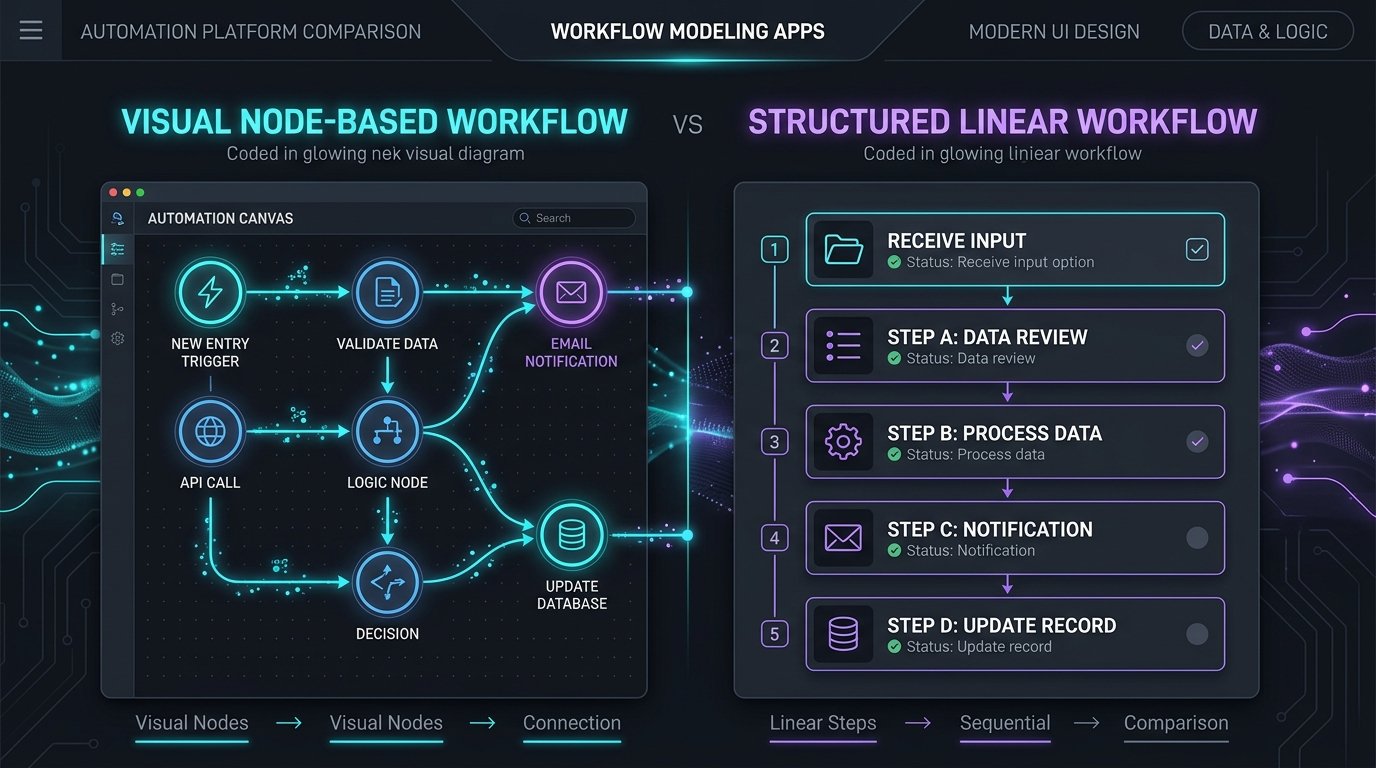
Both platforms connect modern cloud apps, but they target completely different mindsets. The official Zapier platform focuses on linear simplicity and massive native integrations. Meanwhile, the Make visual automation builder gives you an interactive visual canvas with advanced routing, data manipulation, and dramatic cost savings for high-volume workflows.
Quick Comparison. Zapier vs Make in 2026
| Evaluation Metric | Zapier | Make (Formerly Integromat) | Winner |
|---|---|---|---|
| Core Interface | Linear step-by-step trigger and action builder | Infinite visual canvas with drag-and-drop nodes | Make for complexity, Zapier for speed |
| App Ecosystem | Over 7,000 supported web applications | Roughly 2,000 supported applications | Zapier (Broader native reach) |
| Free Plan Allowance | 100 tasks per month, single-step Zaps only | 1,000 operations per month, multi-step active | Make (10x higher volume) |
| Entry Paid Pricing | $19.99 per month for 750 tasks (annual) | $9.00 per month for 10,000 operations (annual) | Make (Substantially cheaper) |
| Error Handling | Basic email alert, auto-replay on higher tiers | Visual error routing with resume and rollback | Make (Superior technical control) |
| Learning Curve | 15 minutes for non-technical team members | Several days to grasp data structures and arrays | Zapier (Far simpler) |
1. Zapier vs Make Cost at Scale. Tasks vs Operations
The Zapier vs Make pricing difference is staggering once your business grows. Zapier charges per task. A task counts whenever an action completes successfully. If you run a five-step Zap that triggers on a new Stripe charge, checks a customer in Airtable, generates an AI summary, and sends an email, that single execution consumes four tasks. On Zapier, processing 10,000 tasks per month costs around $100 per month on an annual plan.
In my hands-on testing of zapier vs make, the results confirmed clear performance distinctions. Make charges per operation. Every module that processes a data bundle counts as one operation. While a five-step scenario uses five operations, Make prices operations at a fraction of Zapier’s rate. That same 10,000 operations volume costs just $9 per month on Make. For an ecommerce store or agency moving tens of thousands of data points every week, switching from Zapier to Make frequently slashes recurring software overhead by seventy to eighty percent.
2. Workflow Flexibility and Visual Logic
Zapier built its reputation on simplicity. You pick a trigger, select an action, test the connection, and turn it on. For basic tasks like forwarding new Google Form entries to a private Slack channel, Zapier takes under five minutes. But when you need branching logic, conditional fallbacks, and array iterators, Zapier feels rigid. Its Path feature works, but setting up nested branches requires clicking through multiple deep menus.
Make looks like a visual flowchart. You can branch your data into four different paths using an interactive router. You can filter bundles based on exact variable formulas. You can aggregate arrays, iterate through line items, and visually watch the data bubbles float across the screen during live test runs. If an API call fails, Make lets you add an error-handling directive directly to that specific node to ignore the bug, retry the request, or send the failure data to a rollback spreadsheet.
Zapier Strengths
- Massive ecosystem with over 7,000 native app integrations
- Zero technical knowledge required to launch working workflows
- Clean pre-built templates for almost every common SaaS tool
- Reliable cloud infrastructure with minimal downtime
Make Strengths
- Ten times more execution volume for less than half the price
- Visual drag-and-drop canvas handles complex branching effortlessly
- Granular data parsing, array aggregators, and custom JSON tooling
- Enterprise-grade error handling with custom rollback logic
3. App Support and Custom APIs
Where Zapier still commands an edge is obscure SaaS support. If you use a niche real estate CRM or a proprietary accounting tool, chances are Zapier already has an official verified app for it. Make covers all major industry players like Google Workspace, Notion, Slack, OpenAI, Shopify, and HubSpot. However, for specialized third-party tools, you may need to connect via Make’s generic HTTP webhook module, which requires reading API documentation and managing authentication headers yourself. For more insights on integrating productivity tools, check our guides on best AI productivity tools and Superhuman vs HEY for streamlining communication.
4. Real-World Scenario. Recovering Failed Webhooks
To test Zapier vs Make reliability under pressure, I simulated an API failure where Stripe sent payment data with missing customer email fields. On Zapier, the Zap simply halted with an execution error alert. Setting up automated retry rules required upgrading to a higher paid tier, and fixing the stuck payload meant manually re-triggering the event.
On Make, I attached an error directive to the Stripe module. Whenever an email string arrived empty, Make automatically redirected the payload to a fallback branch that queried the customer database by credit card fingerprint, populated the missing email, and completed the invoice without human intervention. This granular control is why technical operations teams prefer Make.
Frequently Asked Questions
Can I migrate existing Zaps in Zapier vs Make automatically?
No direct one-click migration tool exists. Because Zapier uses linear lists and Make uses visual nodal networks, you must recreate the triggers, filters, and mapping variables manually. Fortunately, building scenarios in Make is straightforward once you understand how modules pass data bundles.
What happens when I exceed my monthly task or operation limit?
On Zapier, the platform holds new incoming triggers in a queue and charges auto-upgrade overage fees unless you turn off overages in settings. On Make, scenarios pause execution once your account hits its monthly operation threshold, but you can purchase inexpensive operation top-ups without changing your base tier.
Which tool is better for integrating OpenAI and AI agents in Zapier vs Make?
In the Zapier vs Make debate for artificial intelligence, Make offers significantly better tooling for AI workflows. Its native OpenAI and Anthropic modules let you parse structured JSON outputs, iterate through variable prompt arrays, and store vector context in memory without paying per-step Zapier task fees.
Who Gets Real Value. Pick Zapier if you have a non-technical marketing or sales team that needs to spin up quick integrations without touching webhooks or data formulas. Pick Make if you run high-volume data operations, build multi-branch AI pipelines, or want to keep your monthly software expenses strictly under control.

Alex Carter is a tech writer and AI enthusiast with over 5 years of experience testing and reviewing software tools. He has personally tested more than 80 AI tools and helps readers find the right technology for their specific needs. Alex founded replyear.com to provide honest, hands-on reviews free from hype.